











Accessing your ForteBet account lets you manage your betting activity in one place. After signing in, you can view available sports markets, review account activity, manage deposits and withdrawals, and check your personal settings. The website can be used from a desktop computer, smartphone or tablet.

This guide explains the normal sign-in steps, what to do if you cannot remember your password, and how new users can create an account. Check each detail before submitting a form, especially when using a shared device or mobile connection.
How to Login into ForteBet
The sign-in process needs the username or contact detail connected to your account and your password. Open the ForteBet website in a trusted browser and select the sign-in option shown on the homepage.
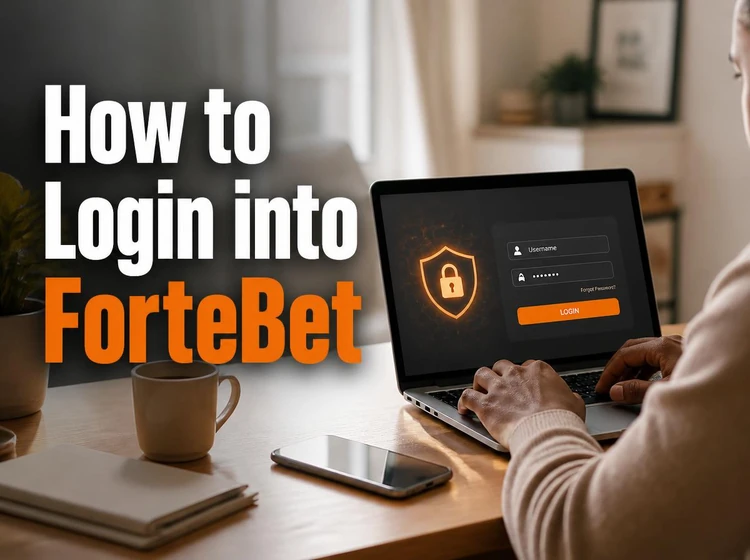
Enter your username, phone number or email address, depending on the identifier used when the account was created. Type the password carefully, because uppercase and lowercase letters may be treated differently. Review both fields before selecting the submit button. If the details are correct, the site should open your account area.
A stable internet connection helps prevent an interrupted session. If the page stalls, check the connection, reload the page once and try again. Repeated failed attempts can trigger a temporary security check, so avoid guessing passwords repeatedly. When using a public computer, do not save the password and sign out before closing the browser.
Mobile ForteBet Login
Signing in from a smartphone or tablet follows the same basic process as on a desktop. Open the website in your mobile browser, tap the sign-in control, and enter the credentials associated with your account.

The mobile layout is designed for smaller screens, so fields and buttons may appear in a different position from the desktop view. Rotate the device or close another browser tab if part of the form is hidden. A mobile browser is enough for access; users who prefer an app-style experience can review the available mobile download information before installing anything.
Use a private connection where possible and keep the phone's operating system and browser updated. Avoid entering account details into a pop-up reached through an unknown message. Type the site address yourself or use a trusted bookmark, then confirm that the page is the expected ForteBet login screen.
ForteBet Login Password
A strong password should be unique to your betting account and difficult to predict. Use a mixture of letters, numbers and symbols, and avoid names, birthdays, phone numbers or simple sequences. A longer passphrase can be easier to remember than a short combination of random characters.

If you forget the password, use the recovery link on the sign-in page and follow the instructions shown there. You may be asked for the phone number or email address connected to the account. A reset code or link may expire, so complete the process soon after receiving it. If no message arrives, check the spelling of the contact detail and the spam or blocked-message folder.
Never send your password to another person or enter it in a form received from an unverified source. If you believe someone has accessed the account, change the password as soon as possible and contact customer support through the official channel. Sign out after using a shared device.
Open ForteBet Account
New users need to create an account before placing bets. Start from the homepage and choose the registration option. The form may request your full name, date of birth, phone number and email address, so use information that you can verify and access.
Create a username and password according to the instructions displayed on the form. Check the country and contact details before submitting. An incorrect phone number or inaccessible email address can make confirmation and later password recovery more difficult.
After registration, the platform may send a confirmation message by phone or email. Follow the instructions provided and keep the confirmation details private. Account verification can also require proof of age or identity, so provide documents only through the official account process if they are requested.
ForteBet Registration
The registration process collects information used to create and maintain a user account. You must be at least 18+ years old to register. Do not create an account with false details or someone else's identity, as mismatched information may cause problems with verification or withdrawals.
After the form is accepted, the system may assign a registration number or another account identifier. Keep it with your account records because support may use it to locate the correct profile. Look for it in the confirmation message or account settings if it is provided.
Use a phone number that can receive messages and an email address that you check regularly. These contacts may be needed for security alerts, account recovery and verification. If registration does not complete, read the displayed error carefully instead of submitting the same incomplete form repeatedly.
Registration Form
Complete each required field carefully. Your name and date of birth should match your official documents, while your phone number and email address should be entered without missing digits or spaces. Use the format requested beside each field and check that the selected country is correct.
Typical errors include a misspelled email address, an old phone number, an incorrect date of birth or a password that does not meet the displayed rules. Correct these details before submitting. Optional fields should not be filled with guesses, because inaccurate information can create difficulties later.
Once the account is active, review your profile and available account controls before making a deposit. Set personal limits that suit your circumstances and take breaks from betting when needed. The responsible gambling guidance explains practical ways to keep online betting within a manageable budget.
Frequently Asked Questions
Open the ForteBet website, select the sign-in option, and enter the username or contact detail linked to your account together with your password. Check the details and submit the form.
Select the password recovery link on the sign-in page and provide the requested phone number or email address. Follow the reset instructions and create a new password that you do not use on another site.
Yes. You can use a smartphone or tablet browser to complete registration and sign in. Make sure the connection is private and that the phone and browser are updated.
The mobile website can be opened directly in a browser. If you are considering a separate download, use only the official information and check the file and permissions before installing it.
If a registration number was issued, check the confirmation message and the account or profile settings. Keep the number private and provide it to support only through an official contact channel.
Registration may require your full name, date of birth, phone number, email address and a secure password. You must be at least 18 years old, and additional verification may be requested.