











The Fortebet mobile app brings the sportsbook experience to your Android phone. Instead of opening a browser each time, you can use a dedicated app that loads quickly and keeps live odds, your bet slip, and account tools close at hand. Downloading the APK from forte-bet-congo.com is simple, even if you have not installed an app outside Google Play before.
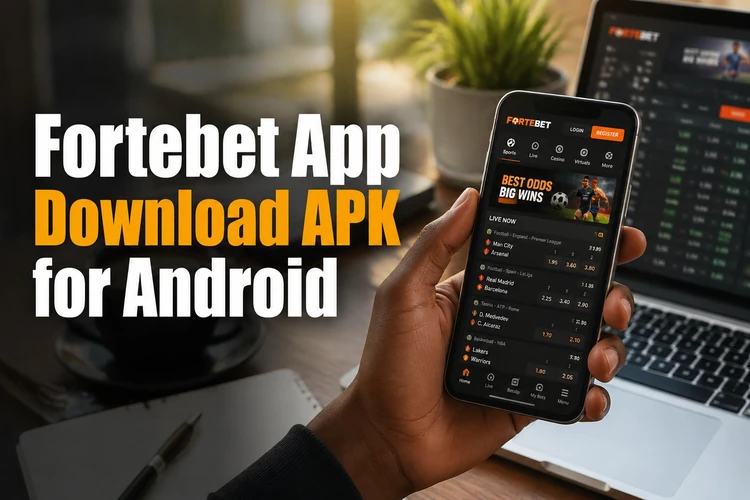
The app includes football betting, live markets, casino games, deposits, withdrawals, and account management in a layout designed for smaller screens. For users in the Republic of the Congo who want to check a match or review an open bet while away from a computer, the mobile format can be more convenient.
Why Download the Fortebet App
A dedicated mobile app avoids some of the friction of a browser tab. Touch-friendly menus make it easier to move between sports markets, the bet slip, and your account, while a stable connection helps pages load without repeatedly refreshing the browser.
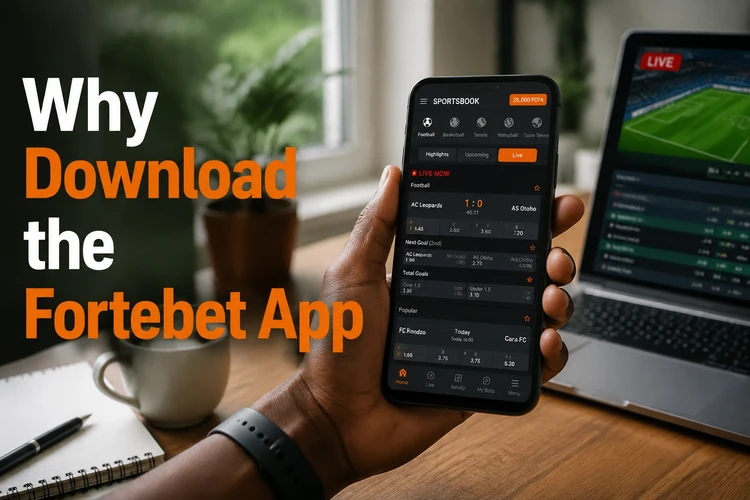
Live betting is particularly useful when you are following football in progress. Markets and odds can change quickly, so the app lets you review the current bet slip and confirm a stake without navigating through several browser pages. Account actions such as checking your balance, reviewing bet history, or requesting a withdrawal are also available from the account area.
App Features at a Glance
The app is designed to provide the main functions available through the service on a phone. After installation, you can use the following areas:
- Sportsbook markets for football, basketball, and other listed sports
- Live betting with changing odds and in-play markets
- Casino games, including slots and table games where available
- Account management for profile details, balances, and bet history
- Notifications for selected bet results, match events, or account updates
- Deposit and withdrawal tools shown in the account area
Notification controls can be reviewed in the app and in Android settings. You may keep useful match or account alerts enabled while turning off promotional notifications. Before confirming a bet, check the selection, odds, stake, and any displayed minimum or maximum limits.
How to Download and Install the APK
Android may block installations from sources outside Google Play until you grant permission to the browser or file manager being used. The exact menu name differs by phone manufacturer, but the setting is usually found under Security, Privacy, or Install unknown apps.
- Step 1: Open Android settings and allow the browser or file manager to install an APK from an unknown source.
- Step 2: Visit forte-bet-congo.com on your phone and open the app download section.
- Step 3: Tap the download button and wait for the APK file to finish saving in your Downloads folder.
- Step 4: Open the completed file, review the installation prompt, and tap Install.
- Step 5: When installation ends, open the app and log in or create an account.
Use a reliable Wi-Fi or mobile-data connection during the download. If the file appears incomplete or Android reports a parsing error, delete it and download it again rather than trying to install a damaged copy. Existing users can use the same credentials as on the website; a second account is not needed.
Installing Safely
Download the APK only from forte-bet-congo.com and check the address before starting the file transfer. Avoid modified APKs, unofficial mirrors, and files shared through random messages. They may be outdated or altered, and an attractive promise of extra features is not a reason to give an unknown file access to your phone.
Keep Android and the app current when updates are provided. An update can address bugs, improve compatibility, or change how a permission works. You can review permissions under Android settings, Apps, and the app's permissions list. If you reinstall the app, your account and bet history should remain available because they are linked to the service rather than stored only in the APK.
System Requirements
The app should work on many ordinary Android smartphones, but performance depends on the device, operating system, and available storage. Check the download page for any current compatibility information before installing.
- Android 5.0 or later, with Android 8 or newer preferred where possible
- About 50 MB of free storage for the APK and initial app data
- A stable Wi-Fi or mobile-data connection
- Permission for internet access and, if enabled, notifications or downloaded content
Leave additional free space for temporary files and future updates. Phones with limited memory may take longer to load pages containing live statistics or casino graphics. If the app closes unexpectedly, restart the phone, check the connection, and confirm that both Android and the app meet the stated requirements.
Getting Started After Installation
After opening the app, review the layout before placing a bet. Select a sport or casino section, open a market, and check the bet slip carefully before entering a stake. For live markets, remember that odds and availability can change between selecting an option and confirming it.

Users with an existing account can sign in with their usual details and review their balance, open bets, and history. New users should complete registration accurately and read the available terms before funding an account. For match analysis before betting, the predictions section can be consulted separately from the app's live markets.
If you have an account or technical problem, use the contact page to find the available support route. When reporting an installation issue, include your Android version, phone model, and the exact error message, but never send your password or payment PIN.
FAQ
Yes. The APK file can be downloaded without a separate app charge. Your mobile network may apply its normal data fees, depending on your plan.
Yes. When a newer version is available, download it from the official site and install it over the existing version. Your account information and bet history are associated with your account rather than only with the APK file.
Use the download supplied on forte-bet-congo.com and avoid modified or redistributed files. Check the web address, keep Android updated, and review the requested permissions before completing installation.
No. An existing account can be used in the app with the same login details. New users can register through the app if registration is available in their region.
The app includes a live betting area where available markets and odds are updated during matches. Confirm the bet slip immediately before placing a wager because in-play odds can change quickly.
Check that installation permission is enabled for the browser or file manager, that the download completed, and that enough storage is available. If the error remains, remove the file, download it again from the official page, and restart the phone before trying once more.